Answering my agents while I cook
Tom used to start an agent before dinner and find it at nine, still waiting on a question it asked at ten past six.
Tom is an Android developer at a bank. He has two kids, four and seven.
In the evenings he works on the tide and surf forecast web app his surf
club uses, a repository called tidepool. His MacBook sits on the
kitchen counter, next to the chopping board.
The phone didn’t fix it
Between six and half past seven he cooks. He used to start an agent just before, and when he sat down again at nine it had usually been waiting on a permission prompt since ten past six. Two hours of evening, and the agent had done five minutes of work.
So he set up a hook that pushed every prompt to his phone. That failed for a boring reason. To answer, he had to dry his hands, unlock the phone, read a shell command on a small screen and tap an option, all while something was on the stove. Most evenings he left them for later, which put him back where he started.
He doesn’t want to approve everything automatically either. The agents run commands in his repository, and some of them he’d say no to. What he wanted was to hear what an agent is asking, answer out loud, and leave anything he couldn’t judge by ear for later.
How it’s set up
Every feature gets its own worktree, so two agents can work at once
without tripping over each other. Noaam shows each worktree as its own
folder in the sidebar, with its session underneath. A third Claude Code
session runs in the main checkout. That one is his assistant: the voice
talks to it, and it can see and act on the other two through the noaam
command.
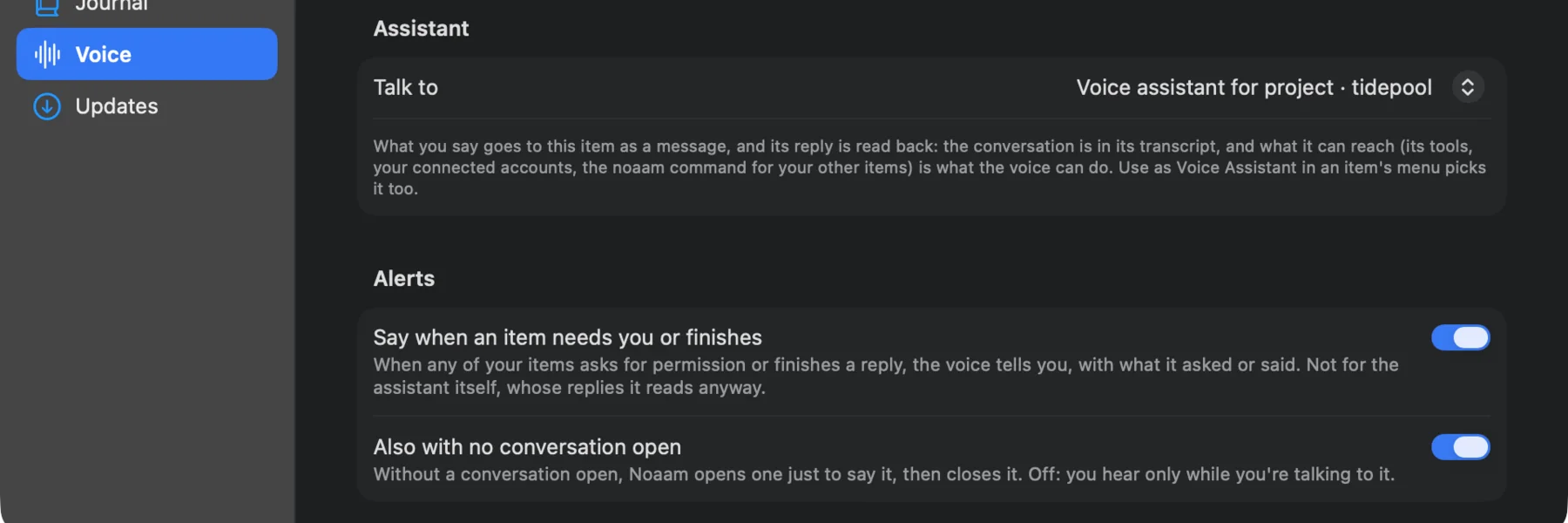
In Settings › Voice he picked that session under Talk to (right-click › Use as Voice Assistant does the same). Under Alerts he turned on Say when an item needs you or finishes and Also with no conversation open. With both on, the voice speaks up on its own when one of the other sessions is waiting or done, and he doesn’t have to press anything to hear it.
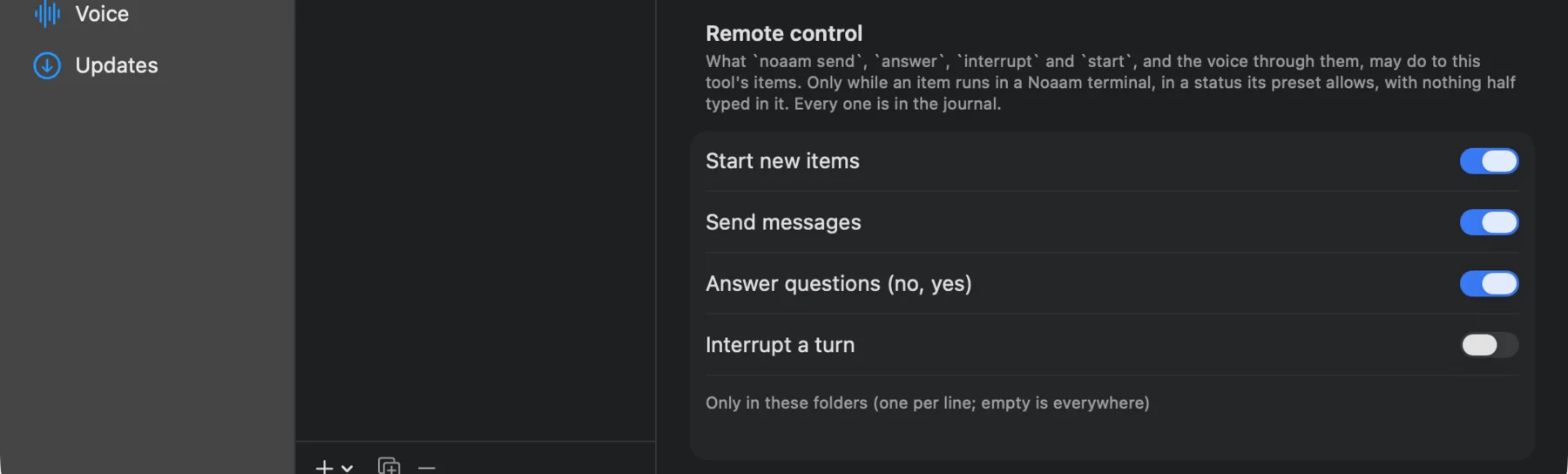
Then, in Settings › Tools › Claude Code, he allowed Send messages and Answer questions under Remote control. Without those, the assistant can read what the other sessions are doing but can’t answer for him. He left Interrupt a turn off. He’d rather stop a session himself.
His AirPods are in. The voice key is ⌃⌥Space, and a towel hangs off the laptop’s edge.
A Tuesday
18:05. He starts two sessions from the composer. One adds a dark
mode in tidepool-dark-mode, following the system setting and keeping
the tide chart readable in both. The other, in tidepool-offline-cache,
keeps the last forecast on the phone for when the beach has no signal.
Then he starts on the onions.
18:12. Both sessions want to install dependencies and run the tests.
The sidebar would show it if he looked: each one says needs you in
orange. He doesn’t look. The voice tells him: the dark mode session wants
to run npm install and npm test, and so does the offline one.
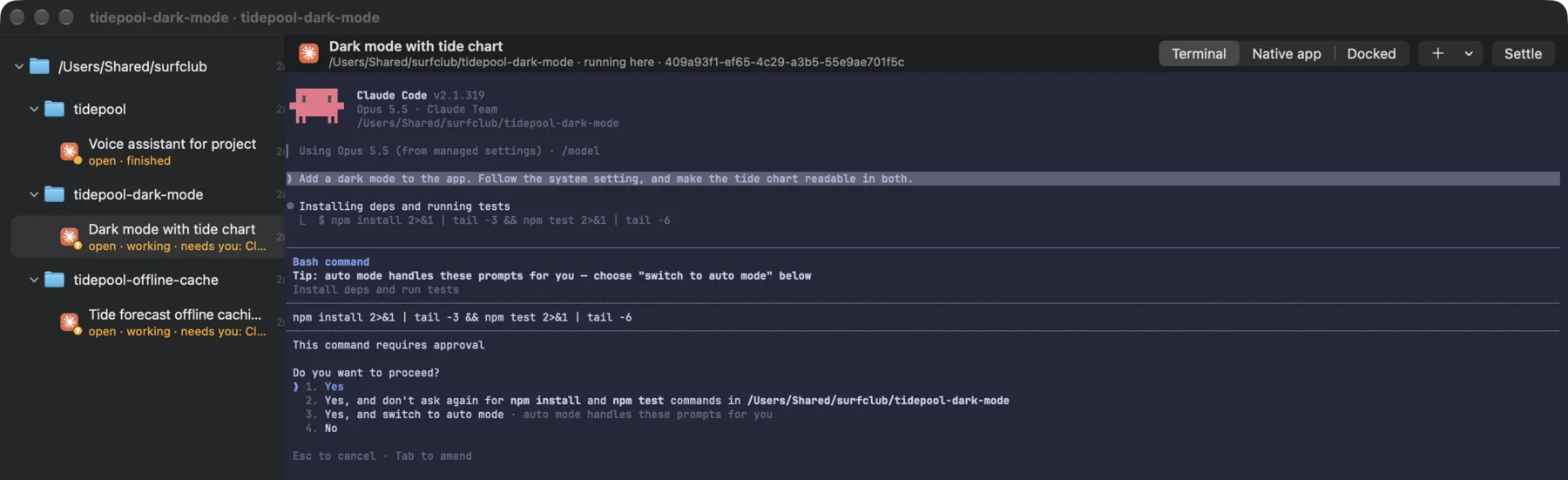
He wipes his hand, presses the key and says: “Yes to both. And tell the dark mode one not to add a theming library, use the CSS variables we already have.” The assistant answers both prompts, then sends that sentence to the dark mode session as a message. Both go back to work.
His seven-year-old asks why he’s talking to the fridge. He tells her he’s talking to the computer, which she finds more reasonable.
18:41. The offline session asks to write a file outside its folder, into a shared config. He wouldn’t approve that by ear. He says “no, ask me later,” the assistant answers no, and the session carries on without it.
19:00. The voice says the offline session has finished and reads its summary: forecasts are stored for six hours, there’s a “last updated” label, and the tests pass.
21:00
The kids are asleep. He opens the assistant’s session and scrolls back. Everything he said that evening is there as text, with what the assistant did about each one. Then he opens the two diffs and reviews them properly. He merges the offline one. The dark mode branch needs another pass on the chart colours, so he types a message to that session and goes to bed.
Nothing got merged from the kitchen. The voice kept the work moving while his hands were busy, and anything he couldn’t judge by ear waited for the screen.
Worth knowing
The sessions have to run in Noaam’s own terminal, not a docked window,
for the voice to answer them. When the voice reads a permission prompt,
it expects a yes or a no, and asks again if it gets anything else. The
voice uses OpenAI Live by default with your own API key, about five cents
a minute while a conversation is open. What it heard and said is also in
the journal, under noaam journal --ev voice.
Set it up: Voice in the guide.