Billing three clients when the agents work at the same time
Marta runs agents for two clients while she's on a call for the third. One timer can't follow that, so she stopped using one.
Marta is a freelance backend developer in Kraków. She has three retainer clients. Acme Surf runs a surf forecast app. Northwind is a small bookkeeping product. Quill is a design agency she helps with their document editor. Invoices go out from Harvest every Friday.
On her Mac there’s a Clients folder with one folder per client and the
repositories inside: acme-surf/tidepool, northwind/ledgerline,
quill/quill. Branches she’s working on live in worktrees next to them,
like tidepool-offline-cache. Noaam shows that same layout in its
sidebar, with her Claude Code sessions under the folder they run in.
Why the timer stopped working
For years she ran a Harvest timer per client. She forgot to start it
about half the time and spent Sunday evenings rebuilding the week from
git log, Slack and her browser history.
Agents made it worse. On a normal Tuesday afternoon one session is caching forecasts for Acme Surf, another is writing tests for Northwind’s CSV import, and she’s on a Zoom call with Quill about PDF export. Three clients are being worked on in the same forty minutes, and a timer can only point at one of them.
Her clients also ask two different questions. Most of them want to know how long she spent. Northwind asked last month whether they were paying her full rate for hours an agent was working. She wanted to answer both without guessing.
What Noaam was already writing down
Noaam keeps a journal for each profile, one file per day, on her Mac. It records which item she was looking at, whether she was typing or clicking (only that, not what), which app was in front, when each agent started and stopped working, and every commit. She never starts or stops anything.
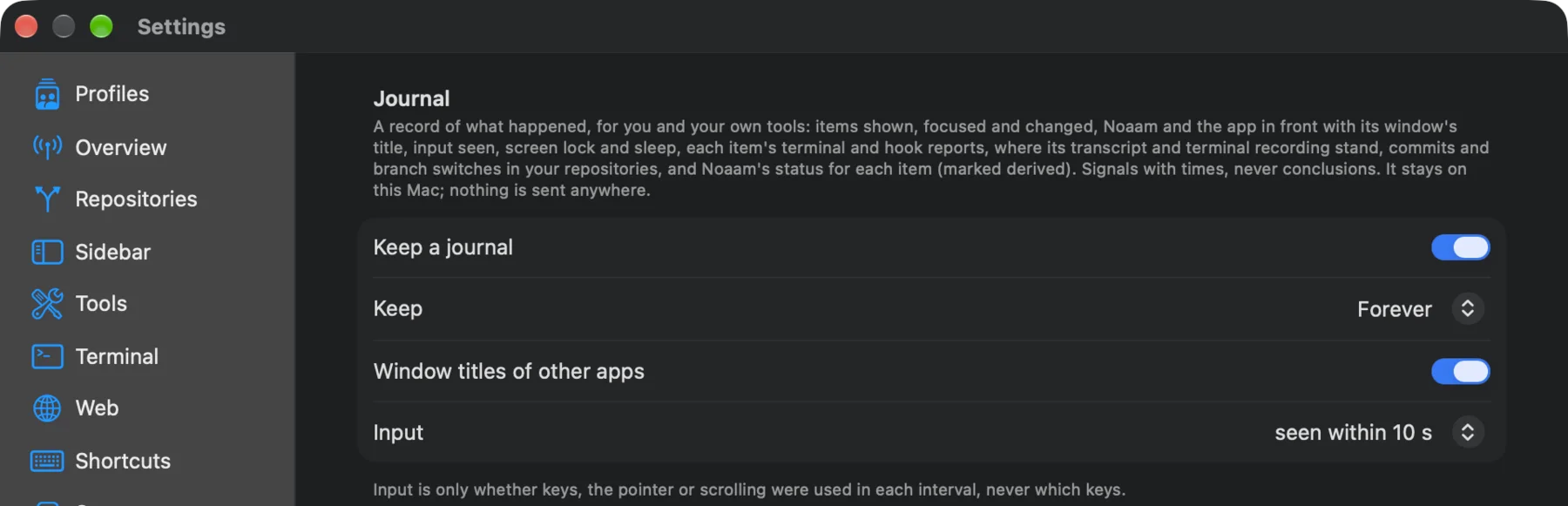
Once, from Settings › Journal, she pressed Teach an Agent. That opened
a Claude Code session which installed Noaam’s skill, so any session she
starts afterwards knows how to read the journal. She keeps one session
at the top of the Clients folder for questions like this.
Friday, 16:30
She typed one message into that session:
Make me a timesheet of this week (Monday to Friday) by client. Only count time I was actually looking at it and at the keyboard. Each client is a folder here. Also give the agents’ working time per client as a separate column, and check the apps in front for any meetings outside Noaam.
About a minute later she had this:
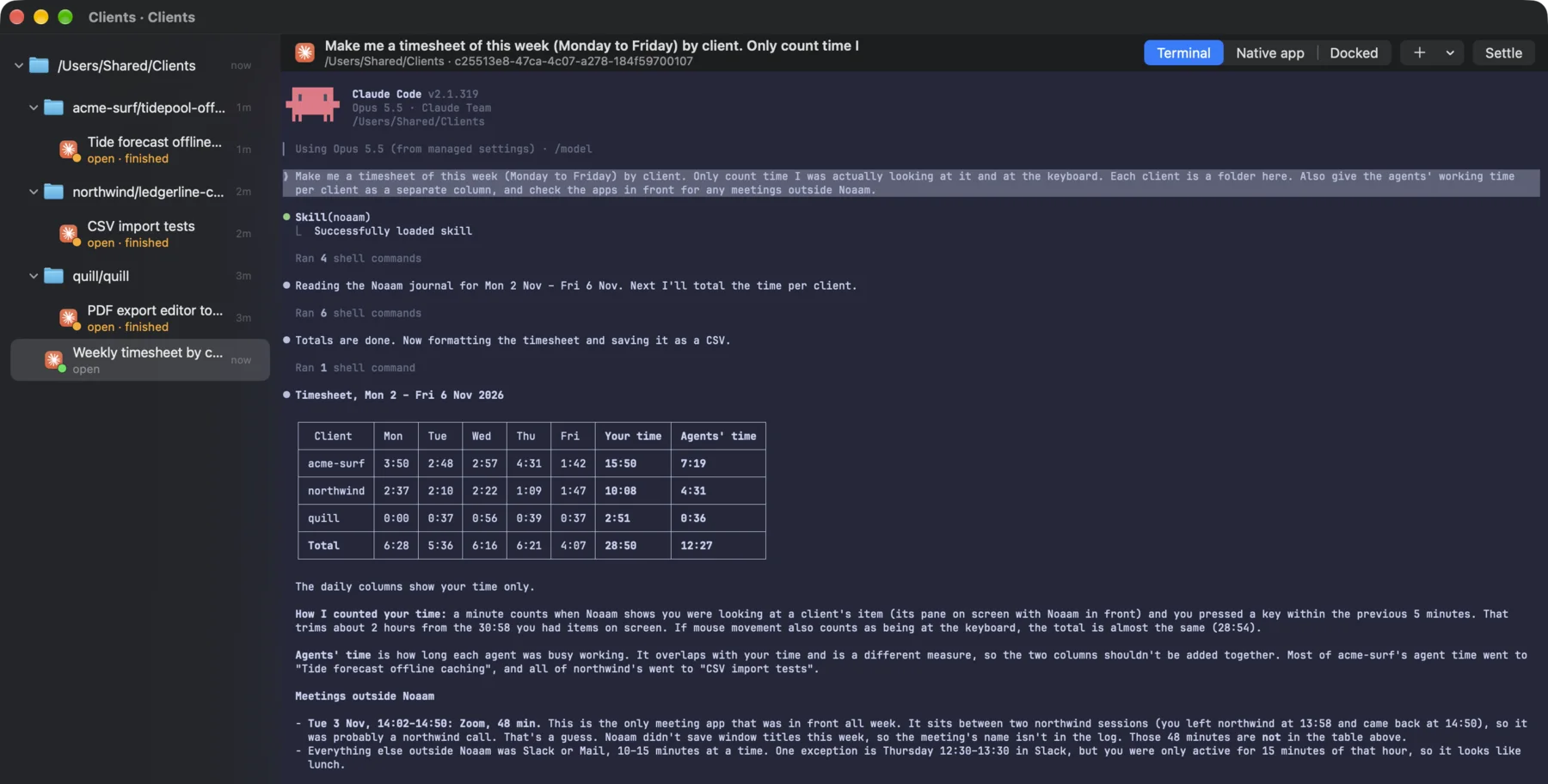
The agent explained how it had counted. A minute was hers when the client’s item was on screen with Noaam in front and she’d used the keyboard in the five minutes before. That trimmed about two hours from the time things were simply open.
The agents’ column is a different measure, and the agent said not to add the two together. On Tuesday afternoon both agents were working while she was on the call, so the columns overlap.
The call it got wrong
The agent found one meeting app in front all week: Zoom, Tuesday from 14:02 to 14:50. It sat between two stretches of Northwind work, so the agent guessed Northwind and said it was a guess. Window titles hadn’t been recorded that week, so the journal had no meeting name to go on.
It was Quill’s export call. She told it so:
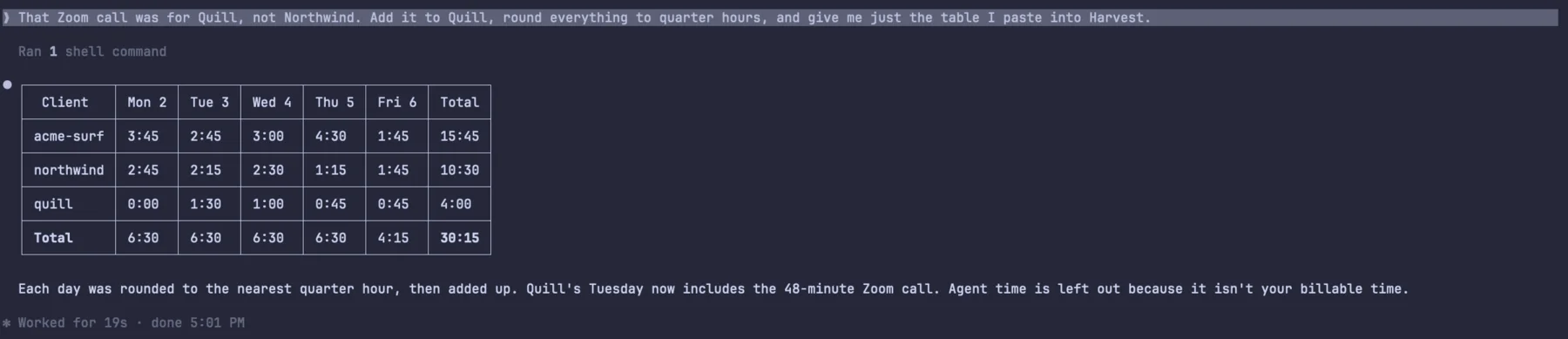
It also flagged an hour on Thursday when Slack was in front but she was only active for fifteen minutes of it. It looked like lunch, so it left it out, and she agreed.
She pasted the rounded table into Harvest: 15.75 hours for Acme Surf, 10.5 for Northwind, 4 for Quill. The Northwind invoice got one extra line: agents worked about four and a half hours on their project this week, mostly while she was busy with something else, and that time isn’t billed.
Then she turned on Window titles of other apps in the Journal settings, so next week the journal has the meeting’s name and the agent won’t have to guess.
If you’d rather run it yourself
The agent is reading the same journal you can query from any terminal. These two commands give the core of it, per repository (worktrees count toward their repository):
noaam spans --ev viewing --since monday --by repo --gap 300
noaam spans --ev status --where activity=working --since monday --by repo
viewing is on while an item’s pane is on screen with Noaam in front,
or while its own window has focus. --gap 300 keeps only the time within
five minutes of input. The second command sums the stretches each agent
spent working. noaam journal --ev app.front lists the other apps that
came to the front, which is where the Zoom call came from.
What it can’t see
A walk spent thinking about a bug isn’t in the journal, and neither is a phone call. Anything outside Noaam only shows up as the app that was in front, so a call needs her to say who it was for. She reads the table before she pastes it, which takes a minute.
The whole thing took about ten minutes, and her Sunday evenings are free again.
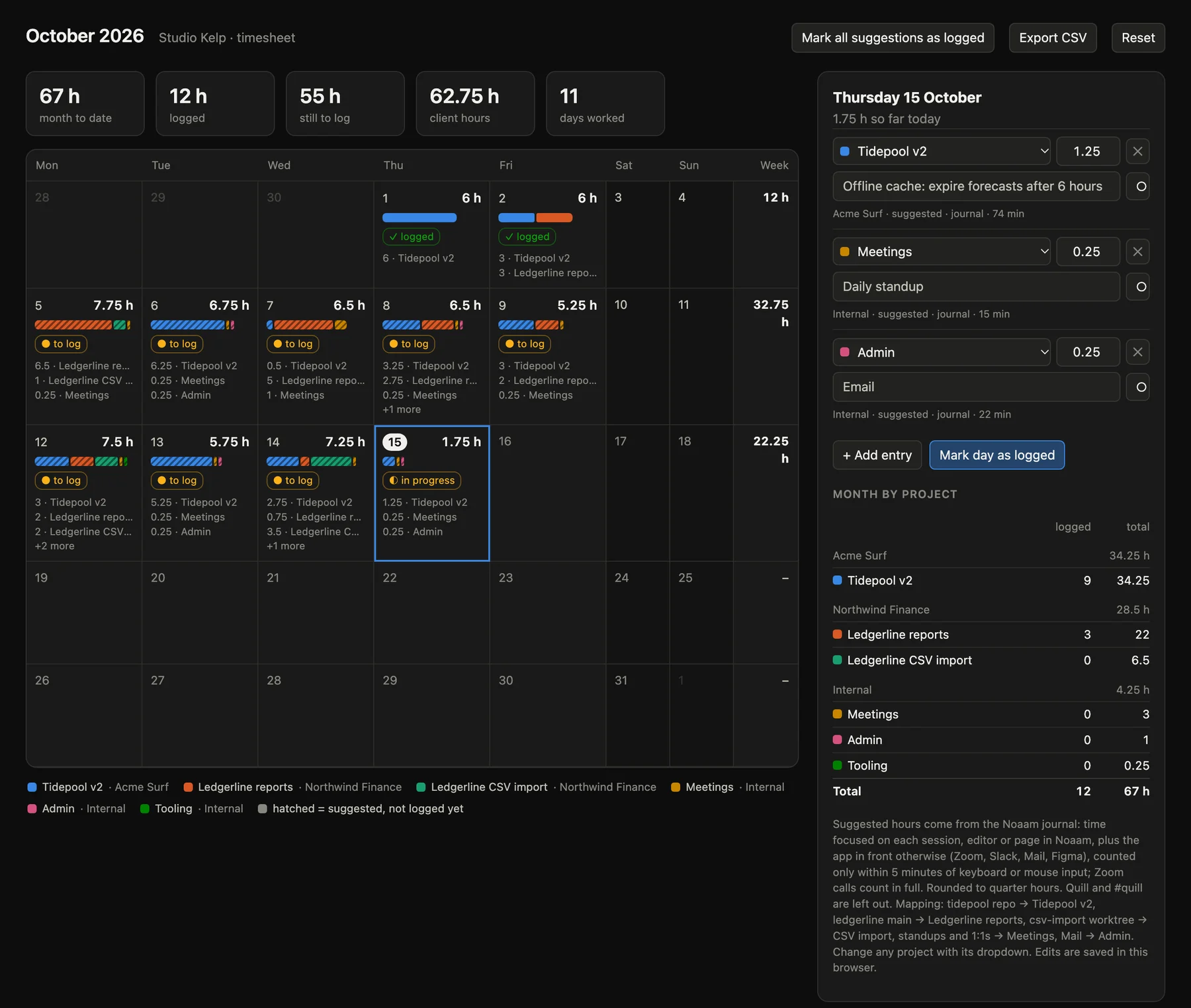
Set it up: the journal and asking it in the guide.