How many hours my side project really gets
Lukas told friends his app got fifteen hours a week. He'd never timed it, and on a Sunday morning he checked.
Lukas is a platform engineer at an insurance company. Most of his day job happens inside a remote desktop, but the team’s Helm charts are open source and he works on them from his own MacBook, with Claude Code.
In the evenings he builds Tally, a habit tracker that lives in the Mac’s
menu bar. It has two repositories: tally for the app and tally-site
for its landing page. He works on both with Claude Code sessions in
Noaam, and writes the SwiftUI in Xcode.
Two profiles, two journals
He keeps the job and the app apart with two Noaam profiles, work and personal. Each opens as its own Noaam, with its own window, Dock icon and ⌘-Tab entry. Each has its own repositories, and its own sign-ins for web pages, so the on-call dashboard’s login only exists in work.
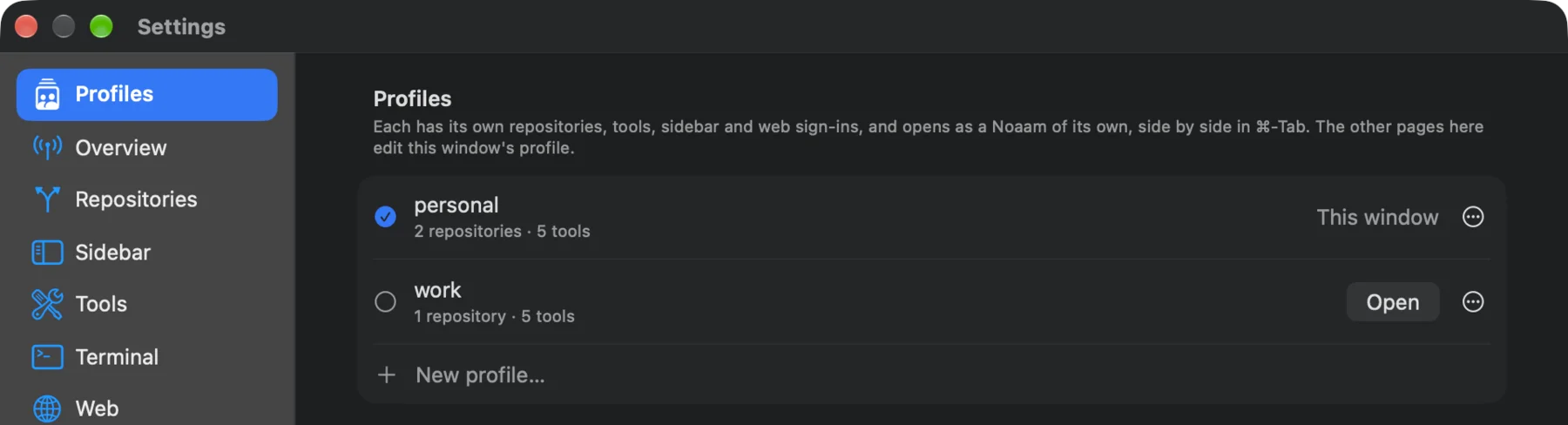
Each profile also keeps its own journal. That’s what made his question answerable without any setup: he never started or stopped a timer, and the personal journal had been recording every evening anyway. Which item he was looking at, when he was typing, which app was in front. None of the day job is in it.
The number he’d been quoting
When friends asked, he said Tally got about fifteen hours a week. He had a plan built on it: streaks and reminders were done, and for 1.0 he wanted a widget and iCloud sync, out before Christmas. His own estimates were twenty hours for the widget and thirty for sync.
On Sunday morning, in a Claude Code session in the tally folder, he
asked:
How much time did Tally actually get this week? Count my time in Noaam and in Xcode, only when I was at the keyboard, and show me the commands you ran.
The answer
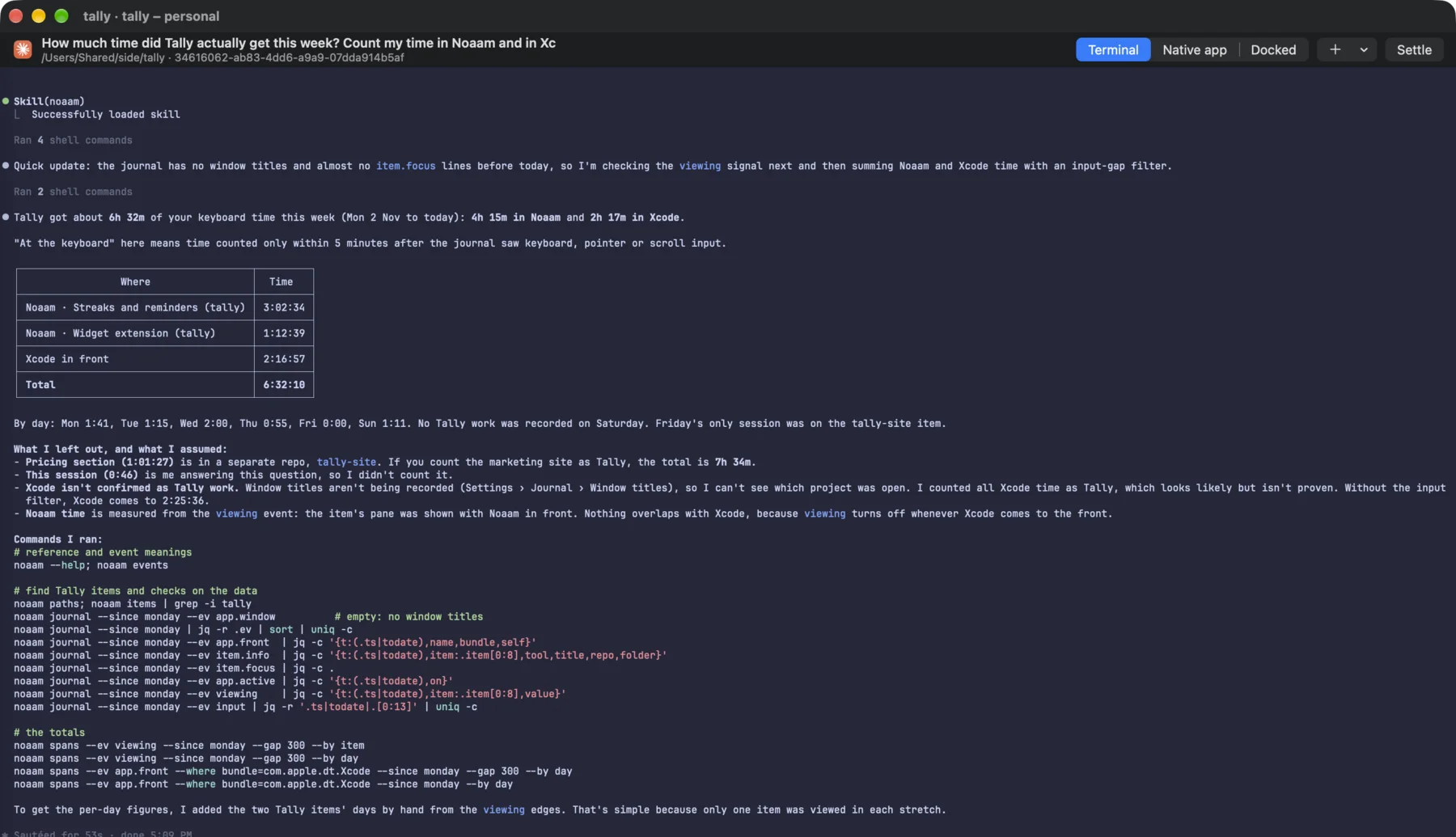
Six and a half hours: four and a quarter in Noaam, the rest in Xcode. Seven and a half if he counts the landing page. By day it was an hour and forty minutes on Monday, an hour and a quarter on Tuesday, two on Wednesday, under an hour on Thursday, nothing for the app on Friday and nothing at all on Saturday. Most of it happened between nine and eleven at night.
The agent was clear about what it couldn’t prove. Window titles weren’t being recorded, so it couldn’t tell which project Xcode had open. It counted all the Xcode time as Tally, which is very likely right, and said so. It left out the pricing page and its own session. It also gave the Xcode number without the keyboard filter, so he could see the difference: about ten minutes of builds he’d walked away from.
Doing it by hand
The answer rests on two commands, which work in any terminal:
noaam spans --ev viewing --since monday --gap 300 --by day
noaam spans --ev app.front --where bundle=com.apple.dt.Xcode --since monday --gap 300 --by day
The first sums the time an item’s pane was on screen with Noaam in
front. The second sums the time Xcode was the app in front. --gap 300
keeps only the time within five minutes of a keystroke or click, in both.
--by item instead of --by day splits the first one by session, which
is how the agent kept the landing page apart.
One thing to know with profiles: the app in front is recorded by whichever Noaam is running. Xcode time from the evening only lands in personal because work is closed by then.
What changed
At seven and a half hours a week, the widget and sync together need about seven weeks, which is past Christmas. The widget alone needs under three. He moved iCloud sync to after 1.0 and kept the date.
He turned on window titles in Settings › Journal, so next Sunday the Xcode time comes with the project name. And he stopped saying fifteen.
The same journal makes timesheets for client work: Billing three clients when the agents work at the same time. Set it up: Profiles and the journal in the guide.